FieldQuote · UK trades
Electrician quoting software for UK electrical jobs
Create itemised quotes for electrical repairs, installations and rewires. Send one customer link for online acceptance, and collect a deposit with Pro and Stripe before work starts.
What FieldQuote does
- Create a professional quote
- Send one link to your customer
- Customer accepts online
- Customer pays a deposit
- You start the job with confidence
Built for UK trades · No card to try · £29/mo for deposits & more
Quote link
ExampleMini preview
Consumer unit upgrade
Quote total
£1,240
Deposit due
£250
Static preview — not interactive.
Worked example
Electrical quote example: replacing four light fittings
Illustrative figures, not a market-price guide or a customer quote. This example assumes no VAT is charged. Set your own prices, scope and any applicable VAT for the job you have assessed.
Four light fittings at existing points
| Item | Qty | Amount |
|---|---|---|
| Light fittings (£45 each) | 4 | £180 |
| Fixings and consumables | 1 set | £20 |
| Labour for the agreed replacement | 1 job | £180 |
| Quote total | £380 | |
- Example deposit
- £100
- Remaining balance
- £280
State what is included
Supply and replace four fittings at the existing positions. Include the labour and checks you have agreed for this work, with the required testing and documentation described in your actual quote.
Explain the limits before acceptance
The example excludes new wiring routes, repairs to existing faults and decorating. Confirm the condition and suitability of the installation before agreeing a fixed price; quote separately for additional work.
Give the customer a clear next step
Send the quote link for review and online acceptance. If you use Pro with Stripe connected, your customer can also pay the deposit you set. Agree when the remaining balance is due in your payment terms.
Adapt the electrical quote template, or use our quote checklist to check the scope and terms before sending.
See what the customer receives
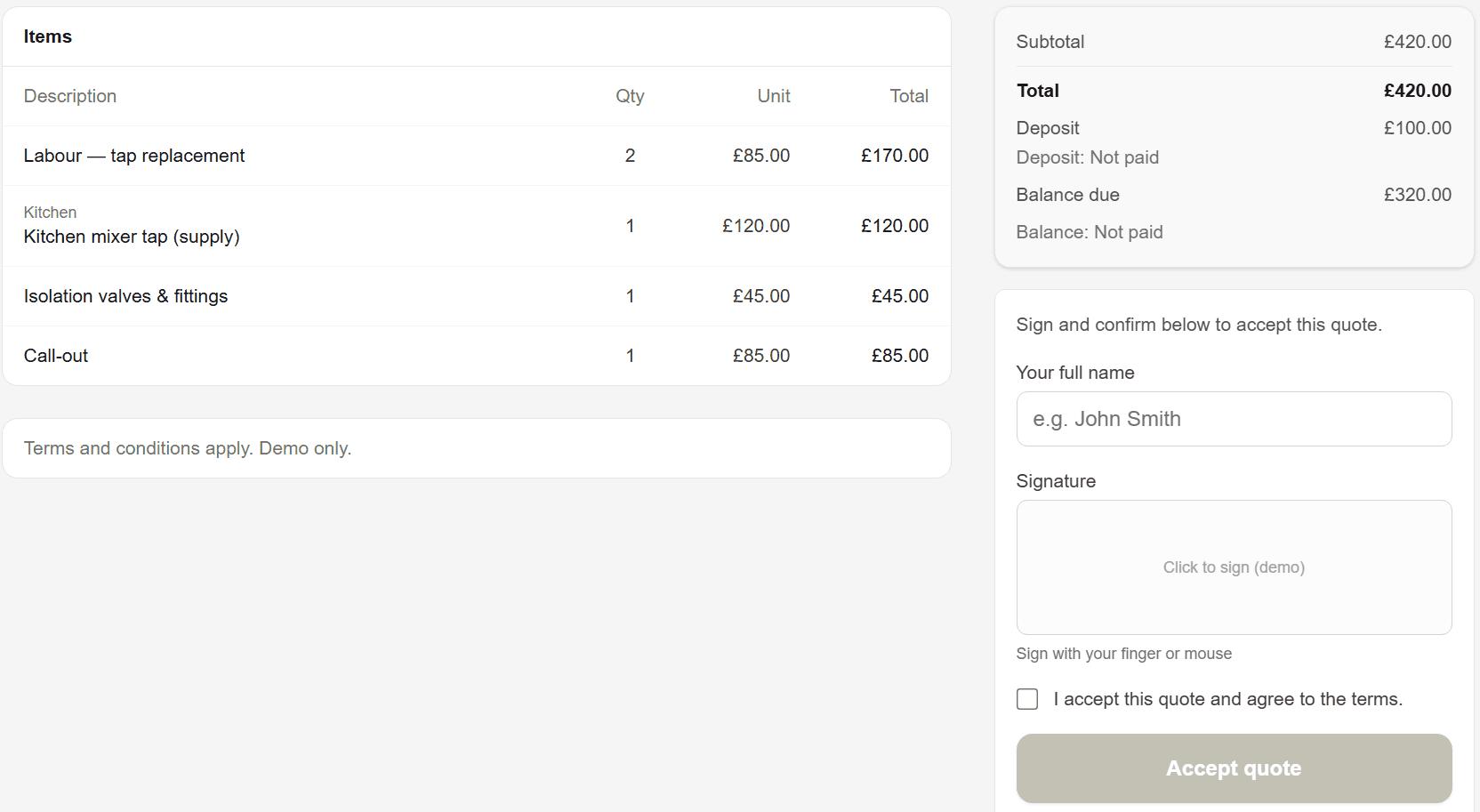
The customer link shows itemised work, the total, deposit and balance, with an acceptance form. This screenshot uses sample plumbing work; use your own descriptions, prices and terms.
What you get
Built to get the deposit before you start.
Show the labour, materials and scope behind your price
Break down the electrical work into line items: fittings, quantities, labour and agreed extras. Add a clear description of the work and any assumptions about access or the existing installation. Set your own rates after assessing the job.
Let the customer review and accept online
Send a single quote link the customer can open on their phone. They can review the line items and accept in their browser without installing an app. Check the quote's status in FieldQuote before following up.
Request a deposit through the accepted quote
On Pro, connect Stripe and set a deposit for the work. The customer can pay through the same quote link. Make the deposit, remaining balance and payment timing clear before they accept.
Adapt the quote to the electrical job
A small fitting replacement, consumer unit upgrade and full rewire need different descriptions. Start from a template, then edit the quantities, materials and scope to reflect the work you have assessed, including any testing or documentation you agree to provide.
Keep quoting separate from electrical certification
FieldQuote helps you present the price, obtain acceptance and request payment. It does not generate EICRs or electrical installation certificates. Continue using your professional inspection, testing and certification process alongside the quote.
How it works
Quote, accept, deposit — one link.
Create the quote
Line-item the work in FieldQuote.
Send one link
Text or email the customer link.
Customer signs
They accept on their phone.
Request a deposit
Pro and a connected Stripe account enable card deposits.
FAQ
Questions UK trades ask
Related on FieldQuote
Get the deposit before you start
No customer app. No PDF chasing. Quote, accept, deposit — one link.